USERS (Internal)
Quality Team
ROLE
UI | UX | Development
Purpose
Workflow Automation
PROJECT OVERVIEW
Classiqo is a quality data app designed to centralize and automate medical device code classification across external regulatory complaint data and internal complaints.
The Quality team depended on manual classification and separate workflows to monitor complaints, which made it difficult to perform cross-dataset analysis.
Manual & Inconsistent Classification
Classification codes were previously assigned manually in local Excel files. This led to inconsistencies, version control issues, and reliance on individual interpretation.
Fragmented Data Across Workflows
Authority monitoring and complaint tracking were managed separately, making it difficult to compare trends across datasets.
Limited Analysis & Visualization
Manual rework slowed down data visualization and data-driven decisions.
Research & Planning
Reviewed existing Excel workflows and identified gaps in medical device code classification
Design & Prototyping
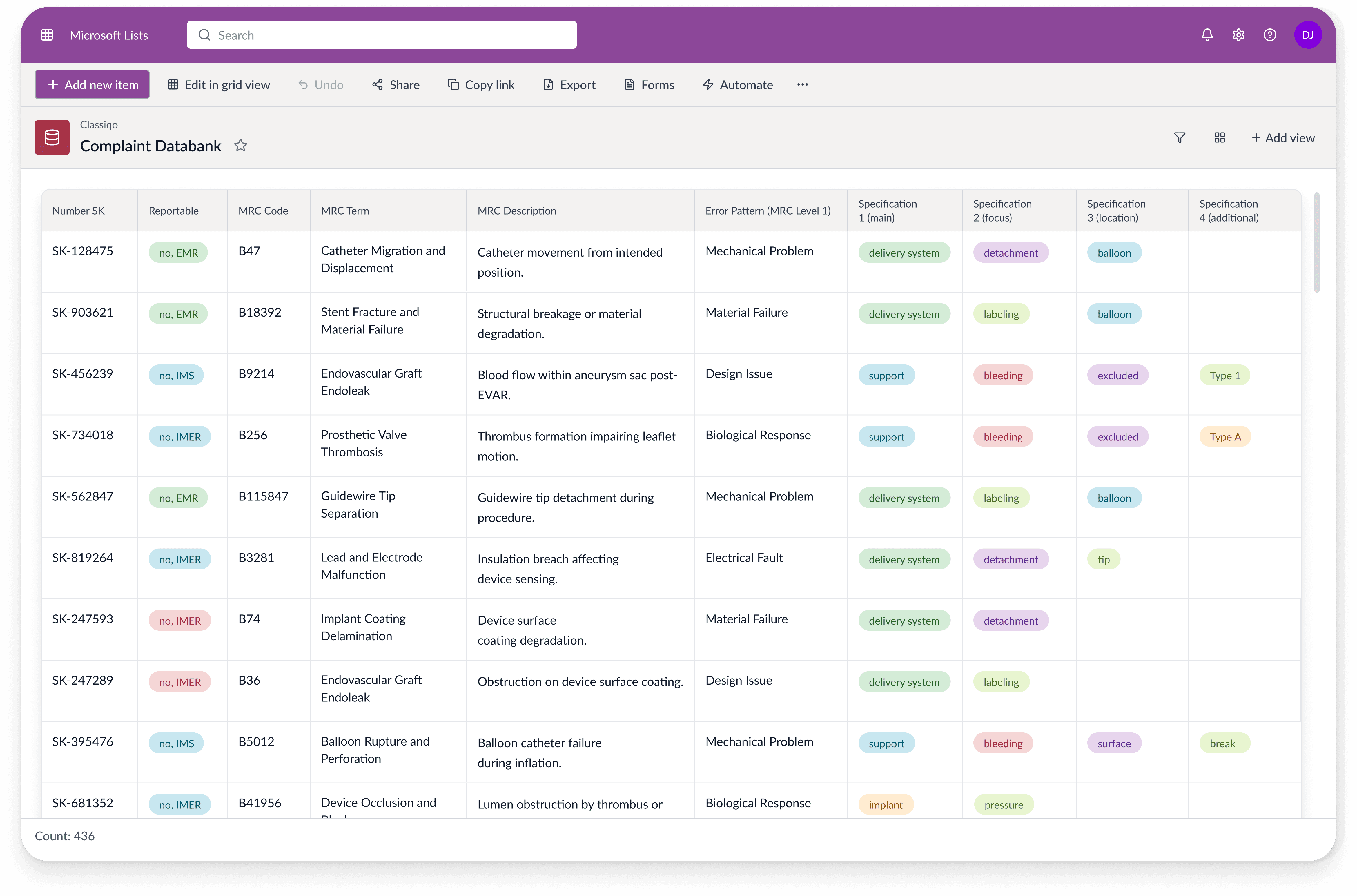
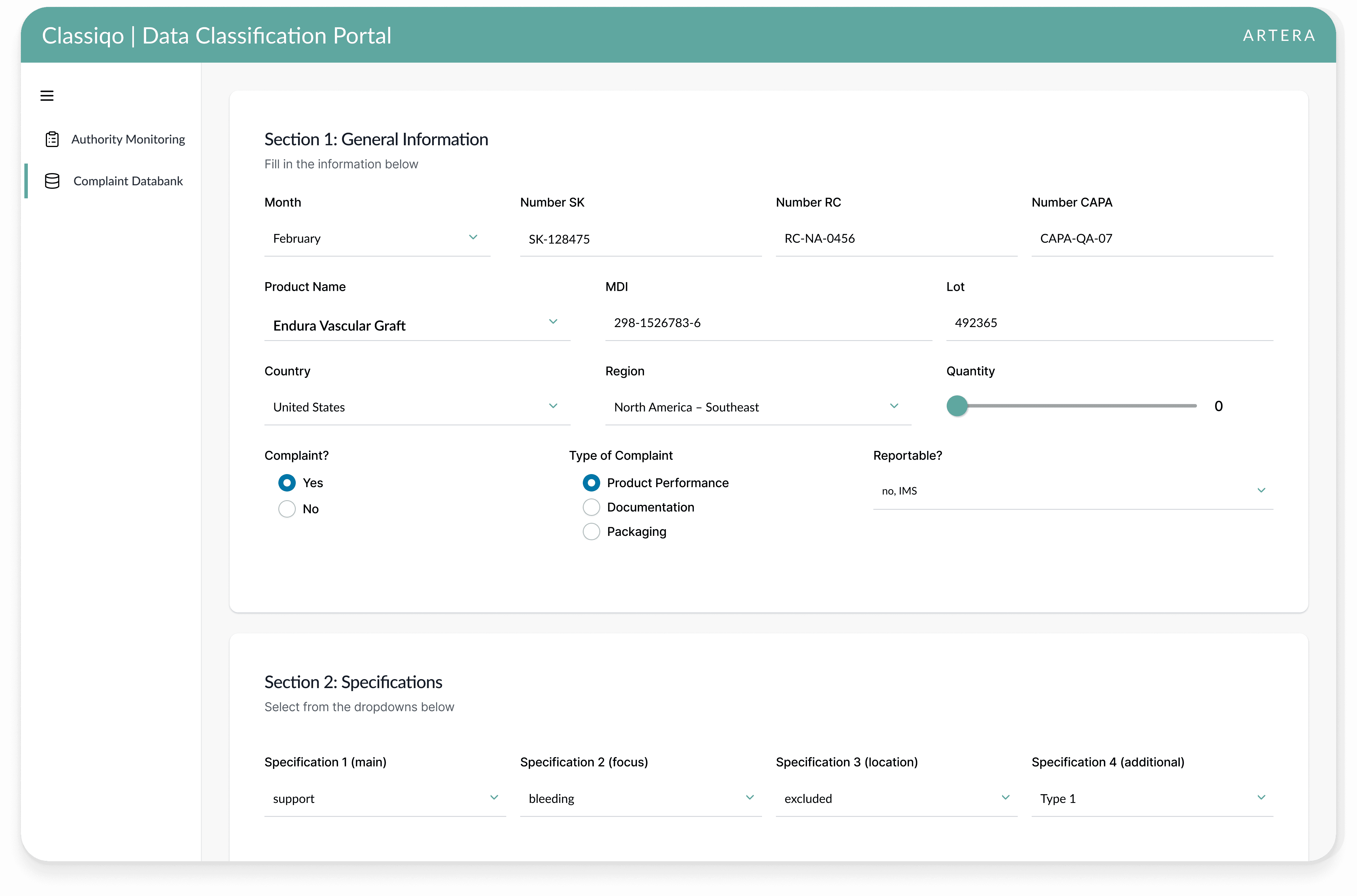
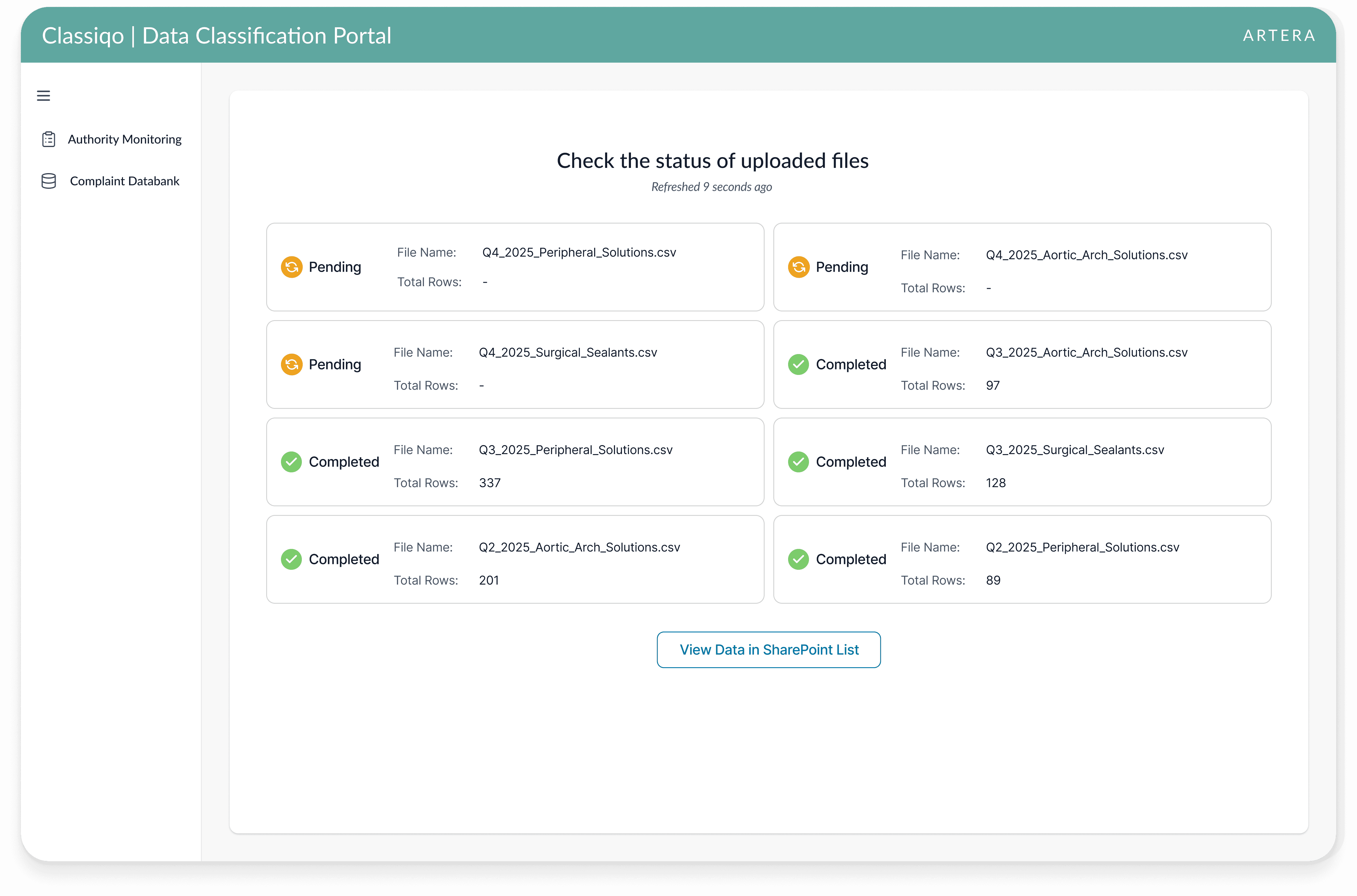
Designed the app for three primary user experiences: Authority Monitoring, Complaint Databank, and File Status Tracking
Development & Implementation
Developed the app in Power Apps with automated workflows created in Power Automate
Built an extraction workflow for uploaded CSV files
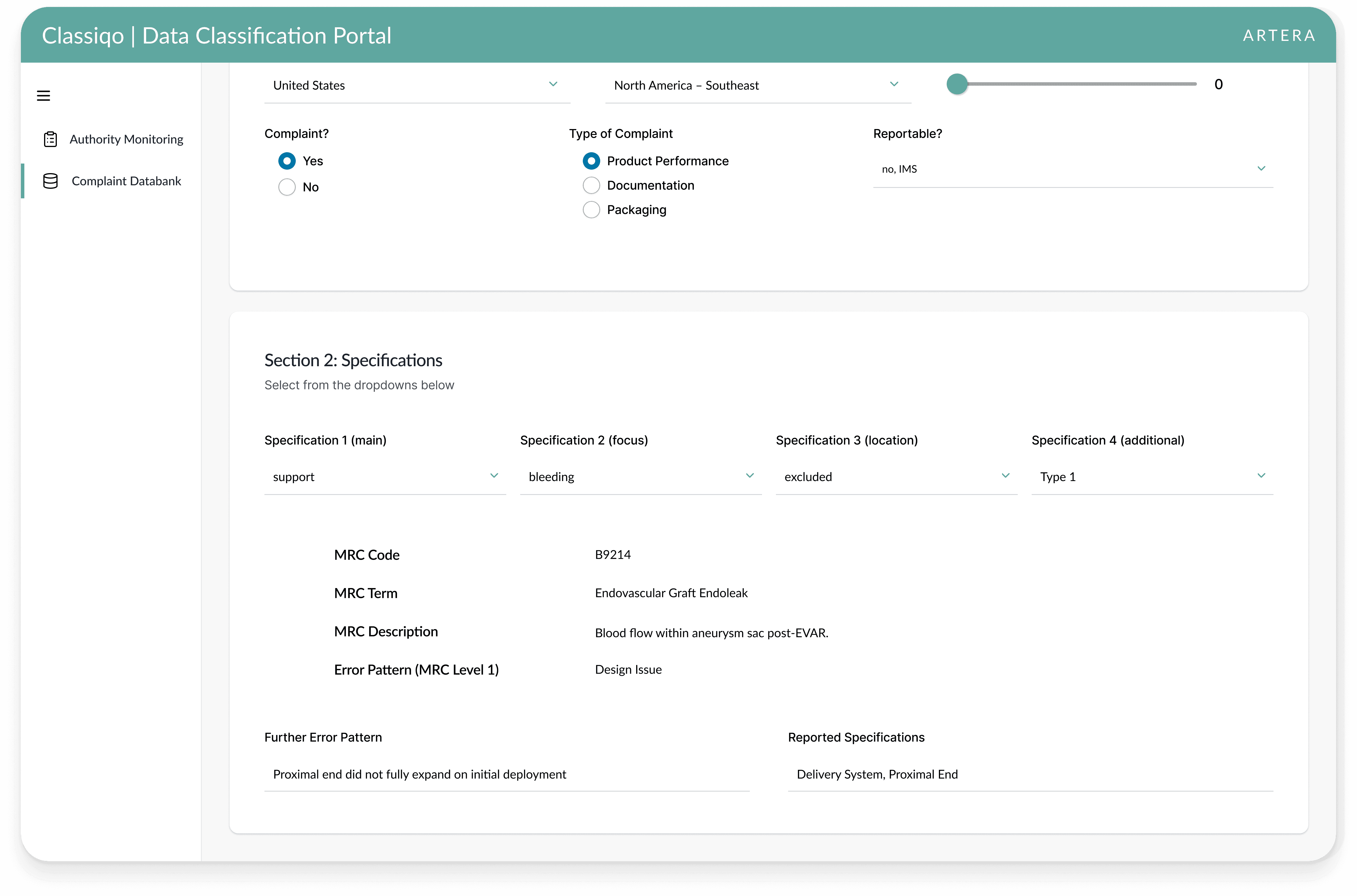
Implemented dynamic form logic and specification mapping rules
Testing & Optimization
Tested CSV formatting variations
Optimized performance for bulk uploads
The final solution delivers a simplified experience of classifying internal and external complaint data.
Automated Code Classification
Users can now upload external regulatory files or select complaint specifications to automatically assign medical device classification codes.
Unified Data Across Workflows
Internal and external complaints feed into one standardized system using the same code structure.
Reduced Data Cleanup
Users can rely on automatic formatting and field population, reducing manual data cleanup.
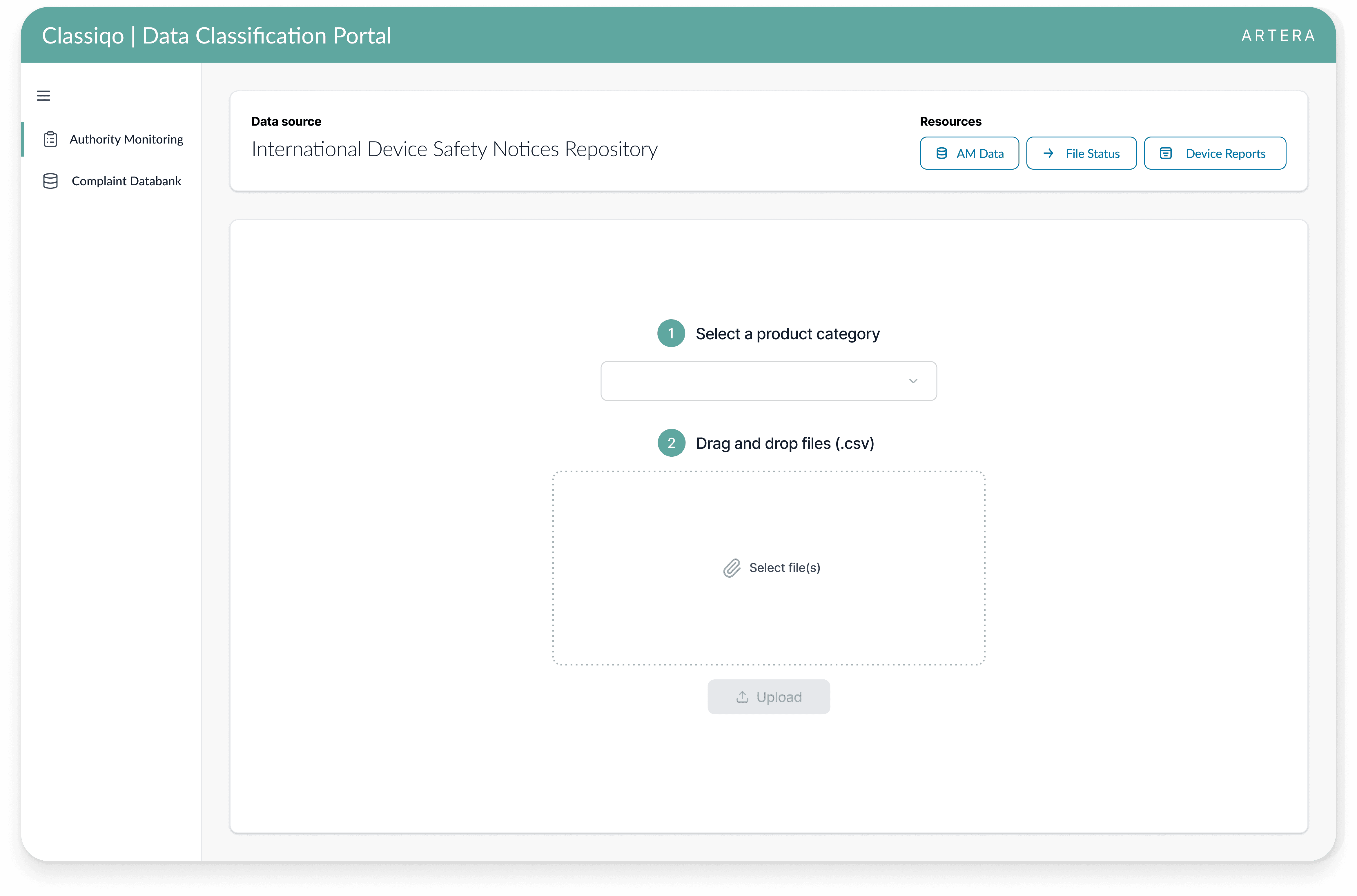
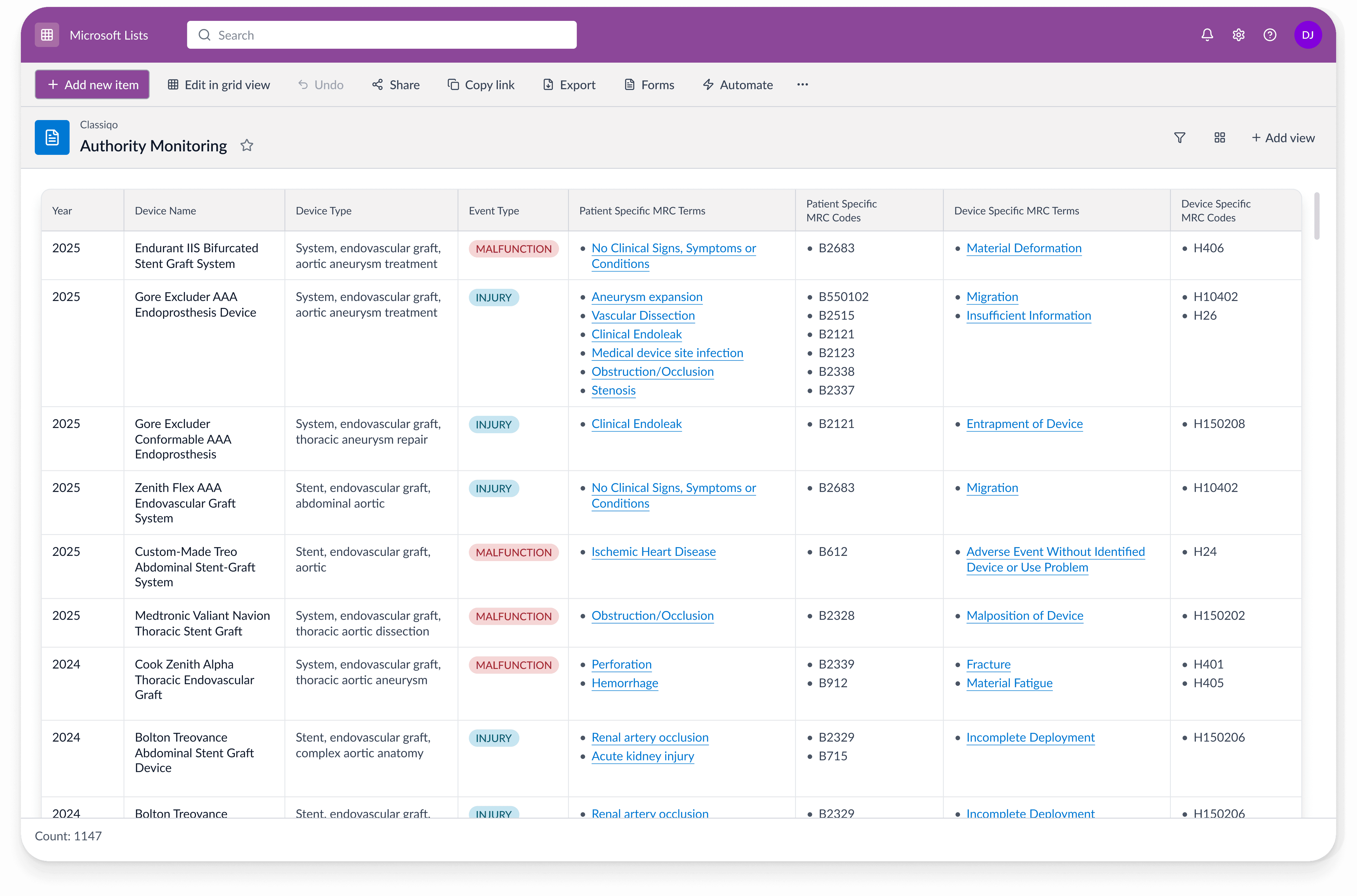
The Quality team transitioned from Excel-based complaint tracking to using the app as their primary workflow. Data captured in the app now feeds into Qlik, the company's data analysis and visualization tool.
Enabled Cross-Dataset Visualization
Internal and external complaint data can now be visualized together in Qlik dashboards.
Stronger Data-Driven Decisions
Quality leaders can confidently identify recurring trends and prioritize corrective actions.
Reduced Manual Effort & Improved Accuracy
Automation significantly reduced manual coding errors. CSV upload functionality streamlines bulk processing, while dynamic form logic speeds up complaint entry.