USERS (Internal)
ROLE
UI | UX | Development
Purpose
App Redesign
PROJECT OVERVIEW
DocCentra is a content management app designed to quickly browse, favorite, and share marketing materials and internal news. I redesigned and rebuilt this app to replace a third-party solution, improving usability, simplifying navigation, and eliminating vendor dependence.
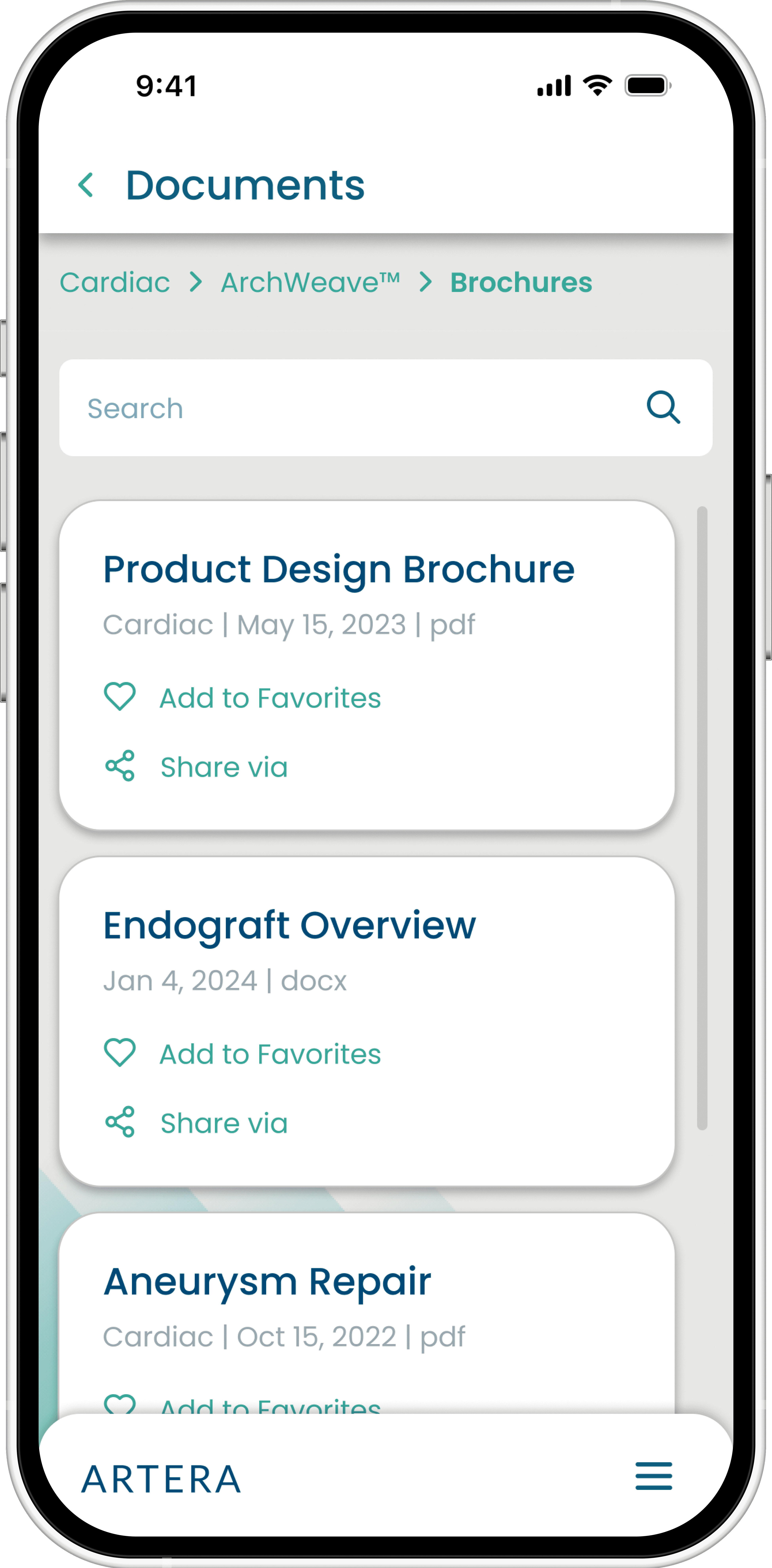
The existing app lacked efficiency in how users located, recognized, and distributed files.
Slow Content Findability
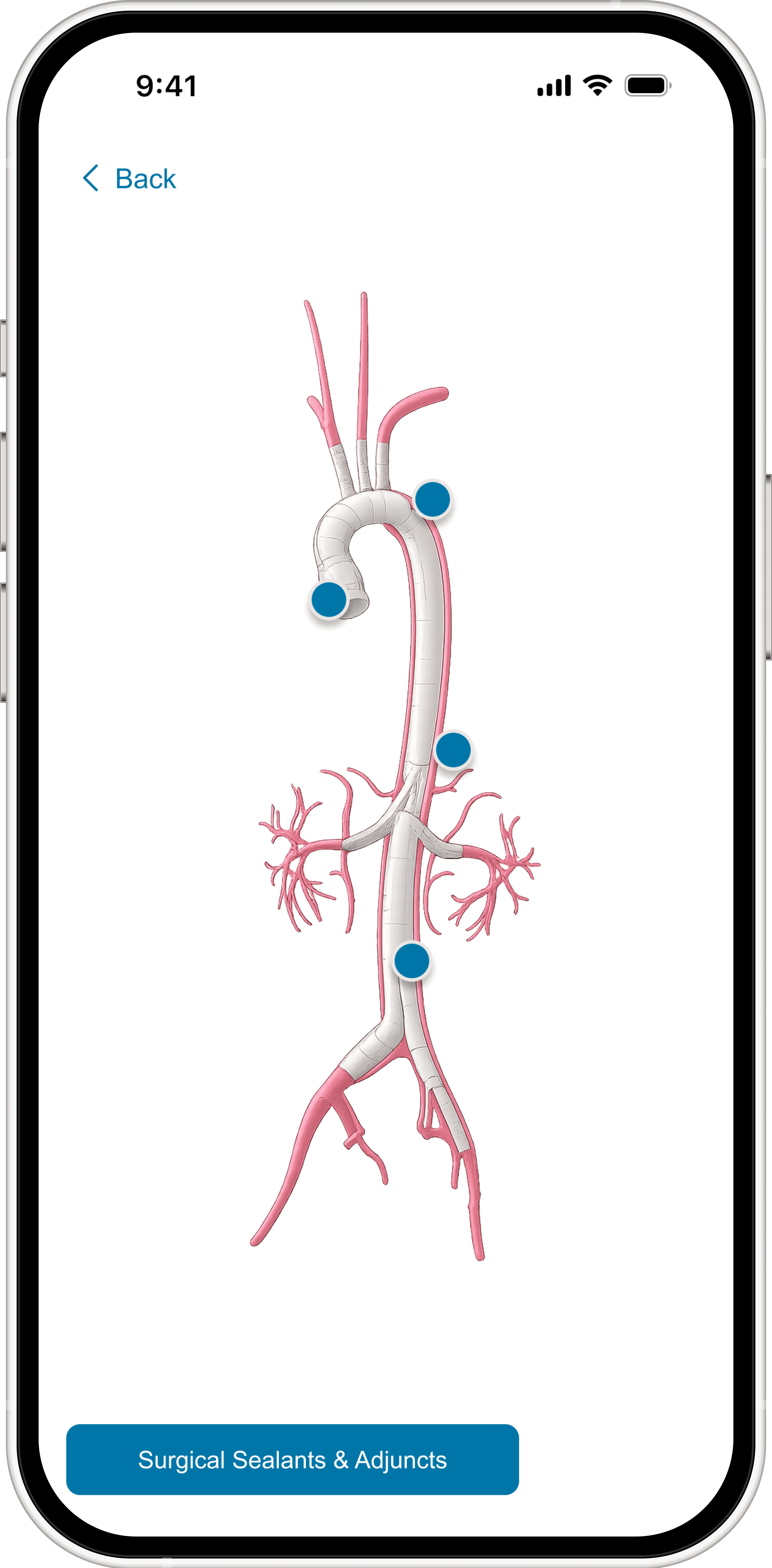
Sales reps struggled to quickly locate the right files when preparing for customer meetings, making file browsing time-consuming. Navigation was not organized around product categories.
Missing Visual Context
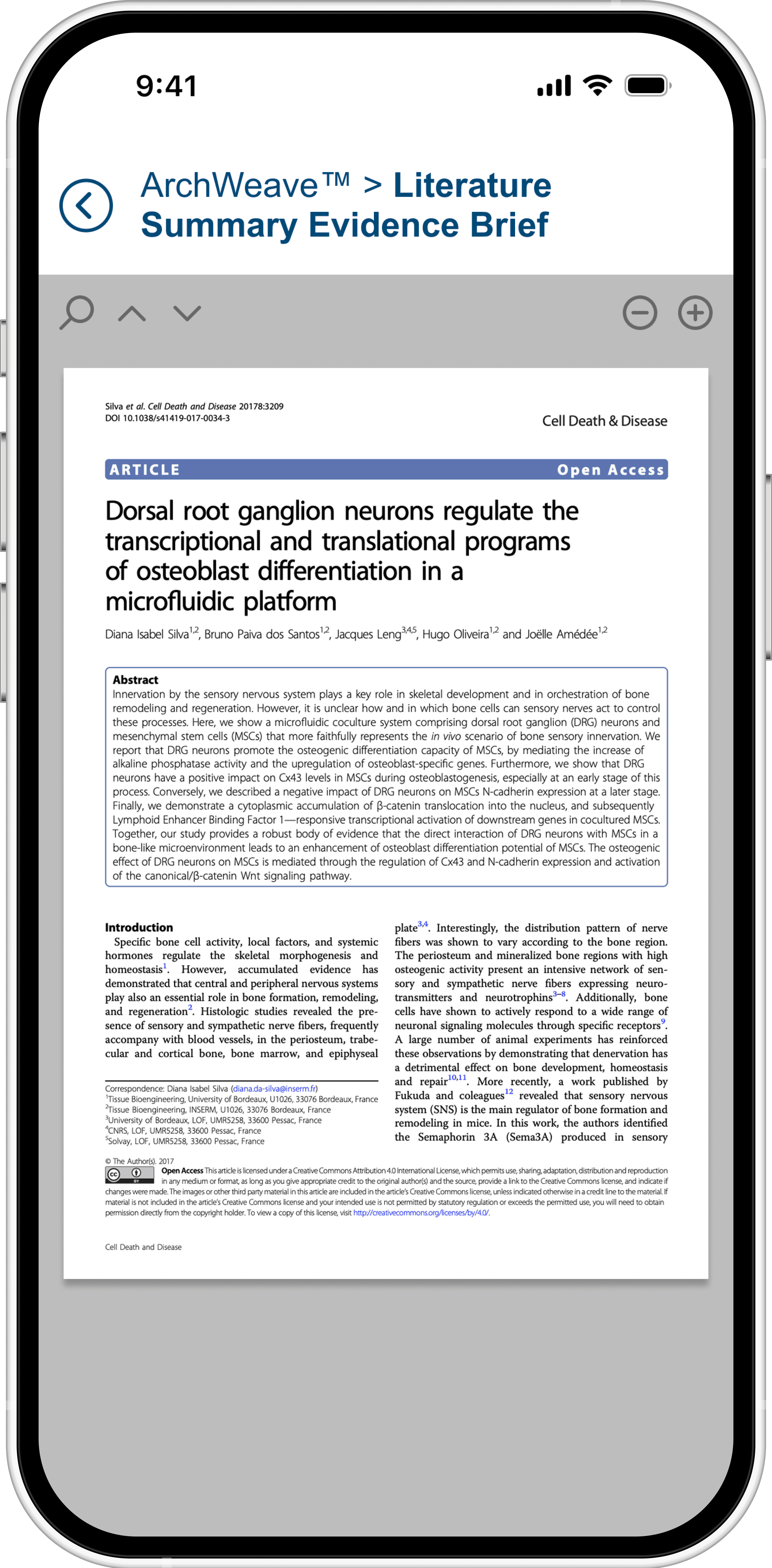
No thumbnails or visual previews were provided, restricting users to rely on file names alone and slowing down recognition when scanning for the right file.
Scattered Announcements
Marketing announcements and content updates were spread across separate channels (i.e. SharePoint, emails).
Unclear Content Sharing
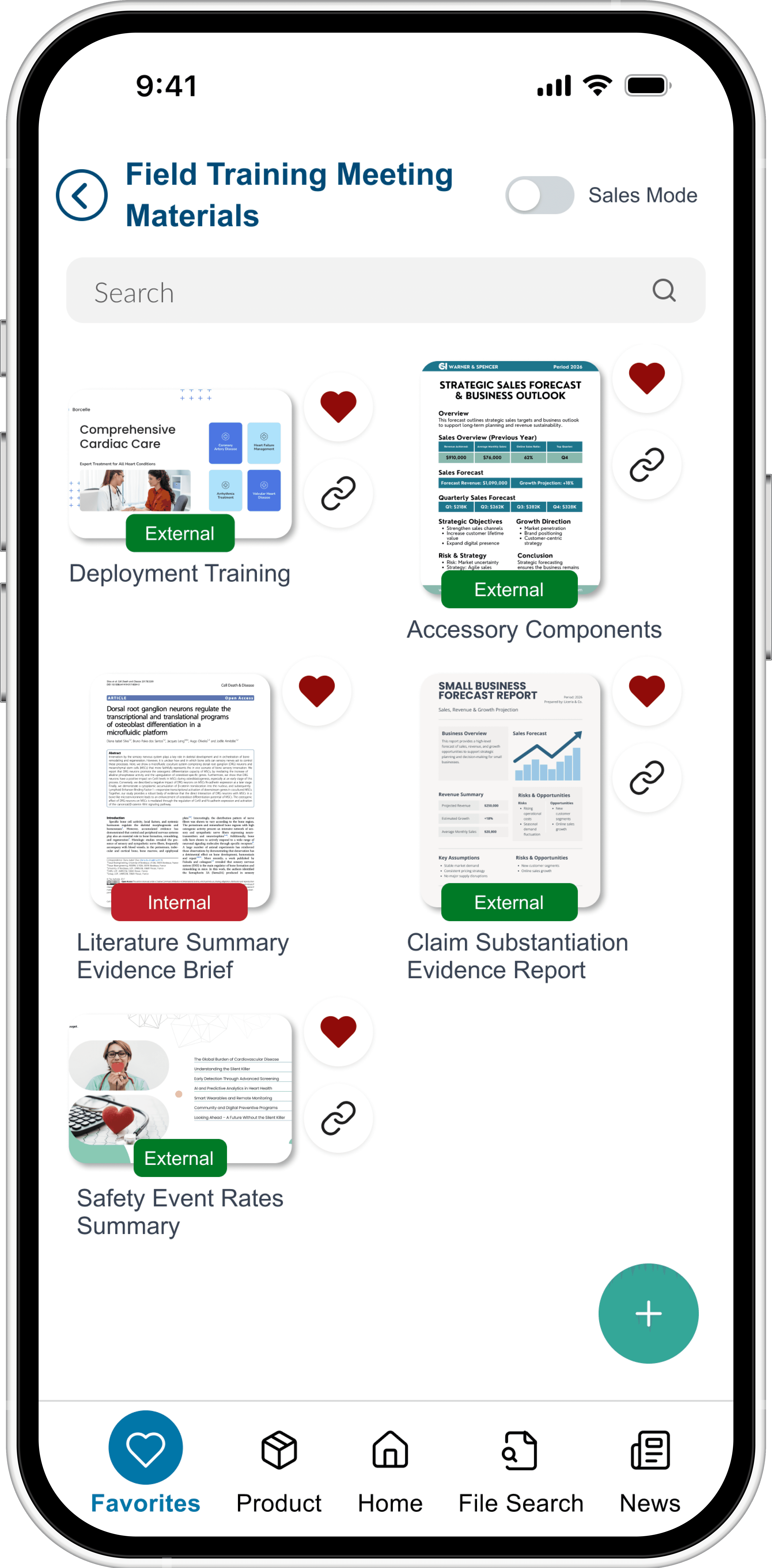
There was no visual representation separating internal-only and externally shareable files.
No Global File Search
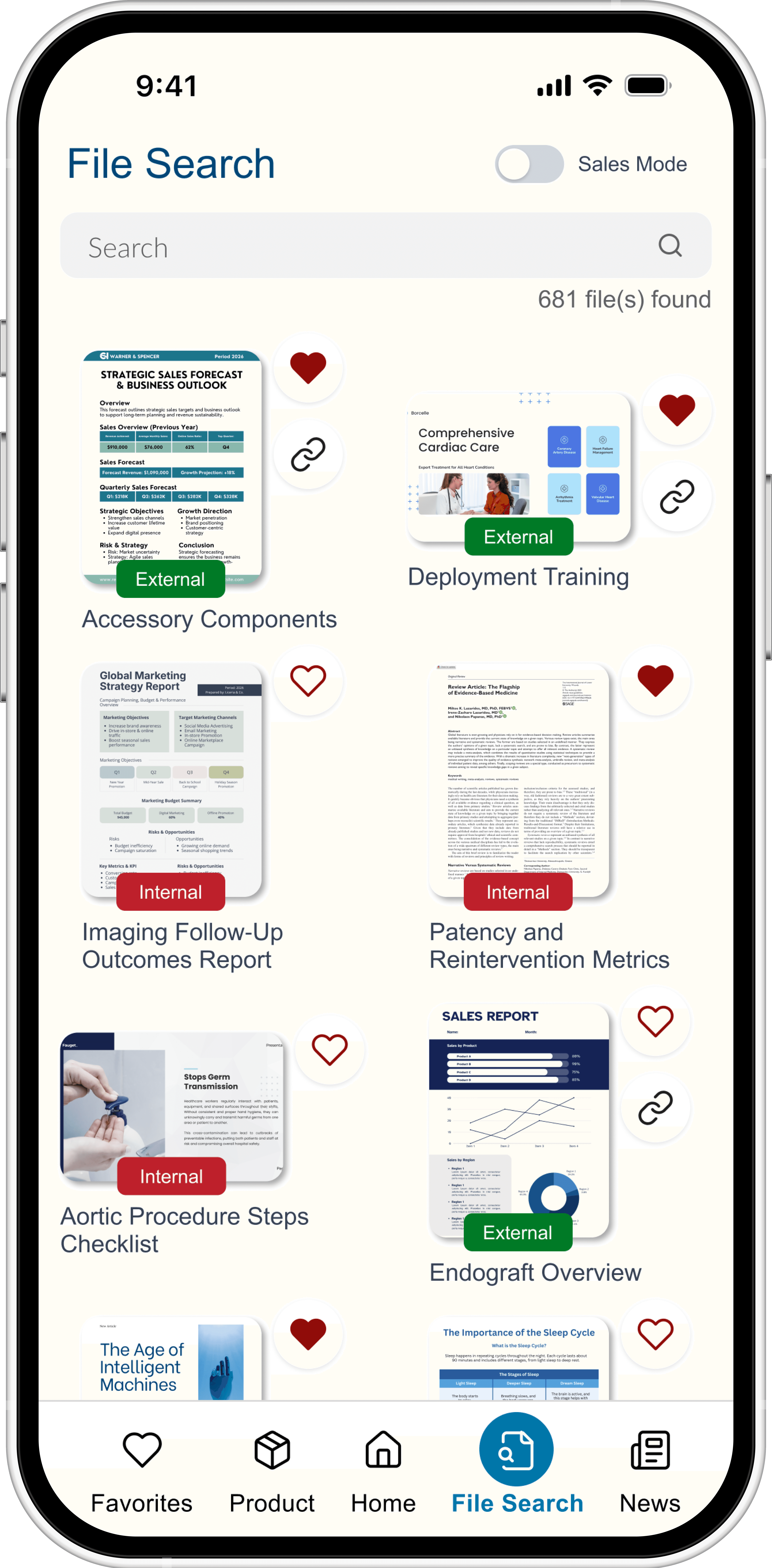
Users couldn’t search across all files in one place.
Research & Planning
Design & Prototyping
Redesigned the information architecture
Created prototypes to validate workflow clarity
Development & Implementation
Rebuilt the app in Power Apps with automated workflows created in Power Automate
Integrated two existing SharePoint sites
Pulled file metadata dynamically from SharePoint
Testing & Optimization
Performed iterative user testing
Implemented feedback from key project stakeholders
The final solution delivers a streamlined internal content experience powered by existing SharePoint infrastructure while significantly improving organization and content governance.
Improved Content Navigation
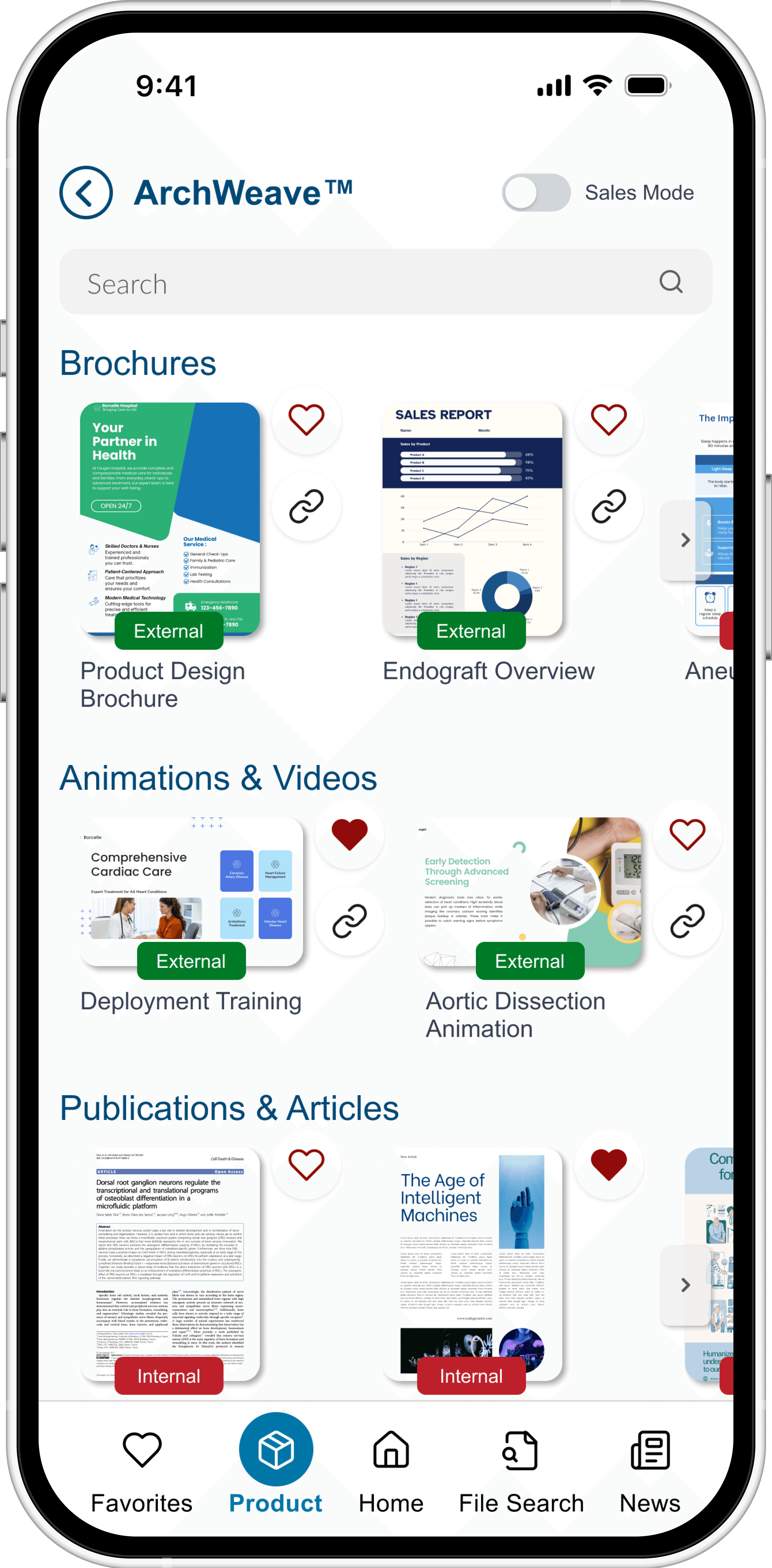
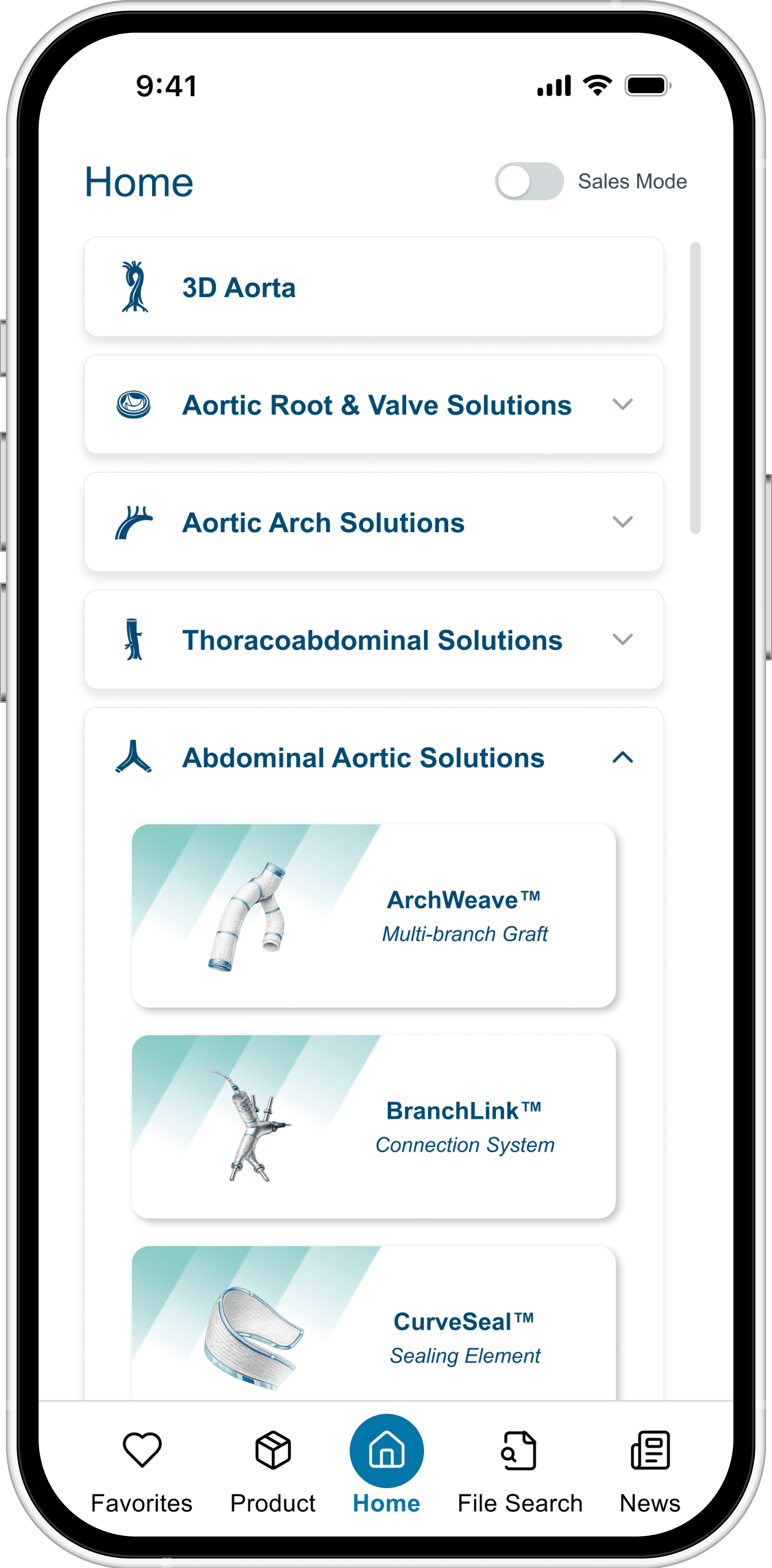
Content is organized by product category, then product, then associated files—creating a logical and predictable browsing path. Clear hierarchy and consistent layouts improved browsing efficiency.
Visual Previews
The app pulls file thumbnails and metadata directly from SharePoint, providing visual previews that make content easier to recognize at a glance.
Centralized News
Marketing updates and announcements are integrated directly into the app, consolidating content and communication in one location.
External Sharing Clarity
The app clearly differentiates between internal-only and externally shareable content, eliminating confusion around permissions and ensuring safe external distribution.
Global File Search
Users could now search across all files in one place.
This project delivered measurable cost savings and strengthened long-term ownership of the app.
Cost Reduction
The internal rebuild eliminated reliance on an external consultant, saving over €500/month on hosting and maintenance costs.
Improved Content Discoverability
The new structured hierarchy (product category → product → files) in addition to visual previews reduced the time required to locate relevant materials.
Stronger Content Governance
Centralized content control enabled managers to update visibility, metadata, and thumbnails directly from SharePoint.